
Excel Courses
Excel Advanced is about Data manipulation and analysis.
WHAT IF ANALYSIS set of commands such as GOAL SEEK and SOLVER.
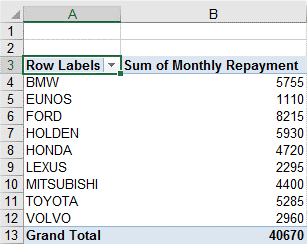
PIVOT TABLES are for large amounts of data needing to be summarized.
EXCEL ADVANCED

Duration:1 Day
Objective: To create spread sheets with complex formulas. Manipulate and analyse data.
Essential: Have Mouse Skills, an awareness of keys on keyboard e.g.: Shift, space bar, and Enter key.
Learning Outcomes: By the end of the day you will be able to create complex functions, manipulate data.
Topics
Module 1 Functions & Range Names
Refresher basic IF and Absolute Cell Referencing, SUMIF, COUNTIF, Nested IF, IF Function with AND/OR/NOT ISBLANK, ISTEXT, ISERROR.
Creating A Range Name, Create A Range Name By Selection, Using Range Names in Functions, Paste List.
Module 2 Complex Functions
Lookup, Refresher VLOOKUP, HLOOKUP, CHOOSE, INDEX, MATCH, IFERROR.
Module 3 Clean up Functions
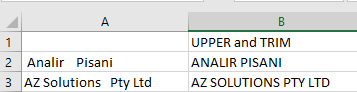
Using Text to Column, UPPER Case, LOWER Case, LEFT/RIGHT, TRIM, LEN, CONCATENATE, TEXT, SUBSTITUTE, Flash Fill, Text to Column.
Module 4 Data Analysis
Goal Seek, Solver, Scenarios, Data Tables.
Module 5 Workbook Tools
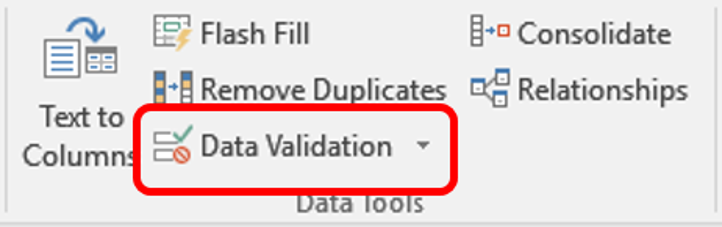
Data Validation Rules, Creating List, Setting Error Alerts, Circle Invalid Data, Track Changes, Create Track Changes History Report.
Module 6 Working with grouping
Subtotalling Totalling by Sum, Subtotalling by Count, Grouping and Outlining.
Module 7 Pivot Tables
Creating Pivot Tables, Group Data, Work with Value field settings, Create Calculated fields, Field Filters, Filter Options, Insert Slicers, Creating a Pivot Chart.
Module 8 Macros
Creating Macros, Viewing Macro Code, Creating a Message box in VBA Code, Assign a Macro to a Command Button, Creating Relative/Absolute Macros, Store Macros Global/Local.
What People Say about AZ Solutions
How Can We Help You?
Contact Us with your specific Microsoft Training requirements and we will find an answer for you.